The Ultimate Guide: Which is Best Streaming Device for TV for IPTV in 2024?
Figuring out which is best streaming device for tv for iptv can feel overwhelming with so many options on the market. You’ve made the smart choice to explore the world of IPTV, a revolutionary way to access a universe of entertainment. But to truly unlock the 4K streams, live sports, and vast video-on-demand libraries offered by a premium service like Talktomytv, you need the right hardware. The device you choose is the bridge between your internet connection and your television screen, and its performance directly impacts your viewing experience. A sluggish, underpowered device can lead to buffering, low-resolution picture, and frustrating navigation, undermining the very reason you signed up for a top-tier IPTV service.
This comprehensive guide will walk you through everything you need to know to select the perfect streaming device. We’ll explore the different types of devices, break down the essential technical specifications, and provide clear recommendations to help you find the ideal match for your needs and budget. Our goal is to ensure you have a seamless, high-quality, and enjoyable experience with your Talktomytv subscription from the moment you press play. Let’s dive in and find the best streaming device to elevate your home entertainment setup.
🎬 Ready to Stream with Talktomytv?
Premium IPTV with 24,000+ channels, 100,000+ movies, 4K quality. Instant activation.
Why the Right Streaming Device is Crucial for IPTV
Before we delve into specific models, it’s vital to understand why your choice of hardware matters so much. IPTV, or Internet Protocol Television, delivers television content over the internet instead of through traditional satellite or cable formats. This method allows for incredible flexibility and a vast selection of channels, but it also places specific demands on your equipment. Unlike simple on-demand apps like Netflix, IPTV often involves streaming very high-bitrate live feeds in 4K resolution, which requires significant processing power.
The Battle Against Buffering
Buffering is the number one enemy of any streaming enthusiast. It occurs when the device cannot process the incoming video data fast enough to play it smoothly. While your internet speed is a major factor, an underpowered streaming device with a slow processor or insufficient RAM can be a significant bottleneck. A high-quality device ensures that it can handle the data stream effortlessly, providing an uninterrupted viewing experience, especially during a crucial moment in a Premier League match or the season finale of a blockbuster series.
Achieving True 4K Ultra HD Quality
A premium service like Talktomytv provides a wealth of content in stunning 4K and Full HD. However, you can only enjoy this crystal-clear resolution if your streaming device supports it. This involves more than just a 4K logo on the box. The device needs the right video decoders (like HEVC/H.265), support for modern HDMI standards (2.0 or higher), and the processing power to handle the massive amount of data that 4K streaming requires. Choosing a capable device ensures you see every blade of grass on the pitch and every detail in a cinematic masterpiece exactly as intended.
User Experience and App Compatibility
The best hardware is useless without great software. The operating system (OS) of your streaming device dictates the user interface, navigation speed, and, most importantly, app compatibility. A device with a well-supported OS like Android TV, Fire OS, or tvOS will give you access to a wide range of IPTV players and other useful applications. This ensures you can install the best software to manage your Talktomytv playlists and customise your viewing experience. A responsive interface makes browsing thousands of channels and VOD titles a pleasure, not a chore.
Understanding the Different Types of IPTV Streaming Devices
The market is filled with various form factors and operating systems. Understanding the fundamental differences between them is the first step in narrowing down your search for the best streaming device for IPTV.
Android TV Boxes
These are small, standalone boxes that run on a version of Google’s Android operating system specifically designed for televisions. They are arguably the most versatile and popular choice for IPTV users.
- Pros: Highly customisable, wide range of hardware specifications available, access to the Google Play Store for a vast selection of apps, often include multiple ports like USB and Ethernet for enhanced connectivity.
- Cons: The market is flooded with generic, low-quality boxes that over-promise and under-deliver. Sticking to reputable brands is crucial. Software support and updates can be inconsistent on cheaper models.
Streaming Sticks (e.g., Amazon Fire TV Stick)
These compact devices plug directly into your TV’s HDMI port, making them a discreet and user-friendly option. They are incredibly popular due to their affordability and ease of setup.
- Pros: Affordable, easy to install, clean and simple user interface, excellent remote controls (often with voice search), strong app support from a major company.
- Cons: Less powerful than high-end boxes, limited connectivity (usually no built-in Ethernet port, requiring an adapter), and a more ‘locked-down’ ecosystem focused on the provider’s content.
Premium Media Players (e.g., Apple TV, NVIDIA SHIELD)
These devices sit at the higher end of the market, offering superior performance, build quality, and features. They are for users who want the absolute best, smoothest experience and are willing to pay for it.
- Pros: Extremely powerful processors for flawless 4K streaming and fast navigation, slick and polished operating systems (tvOS, Android TV), excellent long-term software support and updates, additional features like gaming and AI upscaling (NVIDIA SHIELD).
- Cons: Significantly more expensive than other options. The ecosystem can be restrictive (especially Apple TV).
MAG Boxes
MAG boxes are devices designed almost exclusively for IPTV. They run on a Linux-based OS and are known for their simplicity and stability. While they were once the standard, their popularity has waned with the rise of more versatile Android devices.
- Pros: Very stable and reliable for IPTV streaming, simple interface focused on live TV.
- Cons: Limited functionality beyond IPTV, no access to a wider app store like Android or Amazon devices, can be less user-friendly to set up initially.
Key Features to Look for in an IPTV Device
When comparing different models, certain technical specifications are critical for a great IPTV experience. Here’s what you need to pay close attention to.
🎁 Try Before You Buy — 24-Hour Free Trial
Test the full service with all 24,000+ channels. No commitment required.
Processor (CPU) and Graphics (GPU)
The processor is the brain of the device. For smooth 4K IPTV streaming, you need a modern quad-core or even octa-core processor. Look for chips from reputable manufacturers like Amlogic (S905X3/X4 or S922X series are excellent) or the custom silicon found in Apple, Amazon, and NVIDIA devices. A powerful GPU is equally important for rendering the user interface smoothly and decoding high-resolution video without stuttering.
RAM (Random Access Memory)
RAM is the device’s short-term memory. It’s used to run the operating system and any open applications. For IPTV, 2GB of RAM is the absolute minimum for a decent experience. However, we strongly recommend opting for a device with 4GB of RAM or more. This allows for smoother multitasking, faster app loading, and a more responsive interface, especially when navigating large channel lists and VOD libraries like those on Talktomytv.
Internal Storage
Storage is where the operating system and your apps are installed. While IPTV itself doesn’t use much storage for streaming, a device with only 8GB will fill up very quickly. Aim for at least 16GB of internal storage, with 32GB or more being ideal if you plan to install other apps or games. Some devices also offer expandable storage via microSD card or USB, which is a valuable feature.
Operating System (OS) and Software Support
The OS is your gateway to the content. A certified version of Android TV is generally preferable to the ‘stock’ Android found on many generic boxes, as it’s optimised for TV viewing and remote control navigation. Amazon’s Fire OS and Apple’s tvOS are also excellent, polished systems. Crucially, consider the manufacturer’s track record for providing software updates. Regular updates ensure security and compatibility with new app versions and streaming technologies.
Connectivity
Connectivity is non-negotiable for a stable stream. Here’s a checklist of what to look for:
- Ethernet Port: While Wi-Fi is convenient, a wired Ethernet connection is always more stable and faster, making it the best choice for high-bitrate 4K streaming. We highly recommend choosing a device with a Gigabit Ethernet port.
- Dual-Band Wi-Fi: If you must use Wi-Fi, ensure the device supports dual-band (2.4GHz and 5GHz) Wi-Fi 5 (802.11ac) or Wi-Fi 6 (802.11ax). The 5GHz band is faster and less prone to interference.
- HDMI 2.0 or higher: This is required for outputting 4K resolution at 60 frames per second.
- USB Ports: Useful for connecting external storage, keyboards, or other peripherals.
Video and Audio Codec Support
This is a technical but critical point. Modern streaming services use efficient video codecs to deliver high-quality video without using excessive bandwidth. Ensure your device supports H.265 (HEVC), as this is the standard for 4K streaming. For audio, support for formats like Dolby Digital Plus and Dolby Atmos will provide a more immersive surround sound experience if you have a compatible sound system.
Which is Best Streaming Device for TV for IPTV? A Detailed Breakdown
Now that you know what to look for, let’s examine the top categories of devices and how they stack up for use with a premium service like Talktomytv. While we won’t endorse a single ‘best’ product, as the ideal choice depends on your budget and needs, this breakdown will guide your decision.
The All-Rounder: High-Quality Android TV Boxes
For users who want a balance of performance, flexibility, and value, a well-regarded Android TV box is often the top choice. These devices provide the power needed for flawless 4K streaming and the freedom to install your preferred IPTV player from the Google Play Store. You get the benefit of a full-fledged operating system without being locked into a specific content ecosystem. They often come equipped with excellent connectivity, including Gigabit Ethernet and multiple USB ports. This category is perfect for the user who likes to tinker and wants maximum control over their setup. When choosing, it is paramount to stick to established brands known for good hardware and reliable software support to avoid the pitfalls of generic, unsupported devices.
The User-Friendly Powerhouse: Amazon Fire TV Stick 4K Max
The Fire TV Stick range, particularly the 4K Max model, represents an incredible value proposition. It’s powerful enough to handle demanding 4K IPTV streams, boasts Wi-Fi 6 support for robust wireless connectivity, and features one of the best remote controls in the business with the Alexa voice assistant. The user interface is clean, fast, and easy to navigate, making it an excellent choice for those who are less tech-savvy or simply want a ‘plug-and-play’ solution. While you will need a separate Ethernet adapter for a wired connection, the overall package of performance and ease of use makes it a leading contender for the best streaming device for IPTV for a huge number of users.
The Premium Experience: NVIDIA SHIELD TV Pro & Apple TV 4K
If your budget allows and you demand the absolute best performance, the NVIDIA SHIELD TV Pro and the latest Apple TV 4K are in a class of their own. The SHIELD TV Pro runs on Android TV and is a performance monster. Its Tegra X1+ processor can handle any streaming task you throw at it, and its AI-enhanced upscaling can make HD content look remarkably close to 4K. It’s the enthusiast’s dream device. The Apple TV 4K offers a different kind of premium experience. It is defined by its incredibly smooth, fast, and polished tvOS operating system and seamless integration with other Apple products. The performance is top-tier, and the user experience is second to none. For users invested in the Apple ecosystem, this is often the default and best choice.
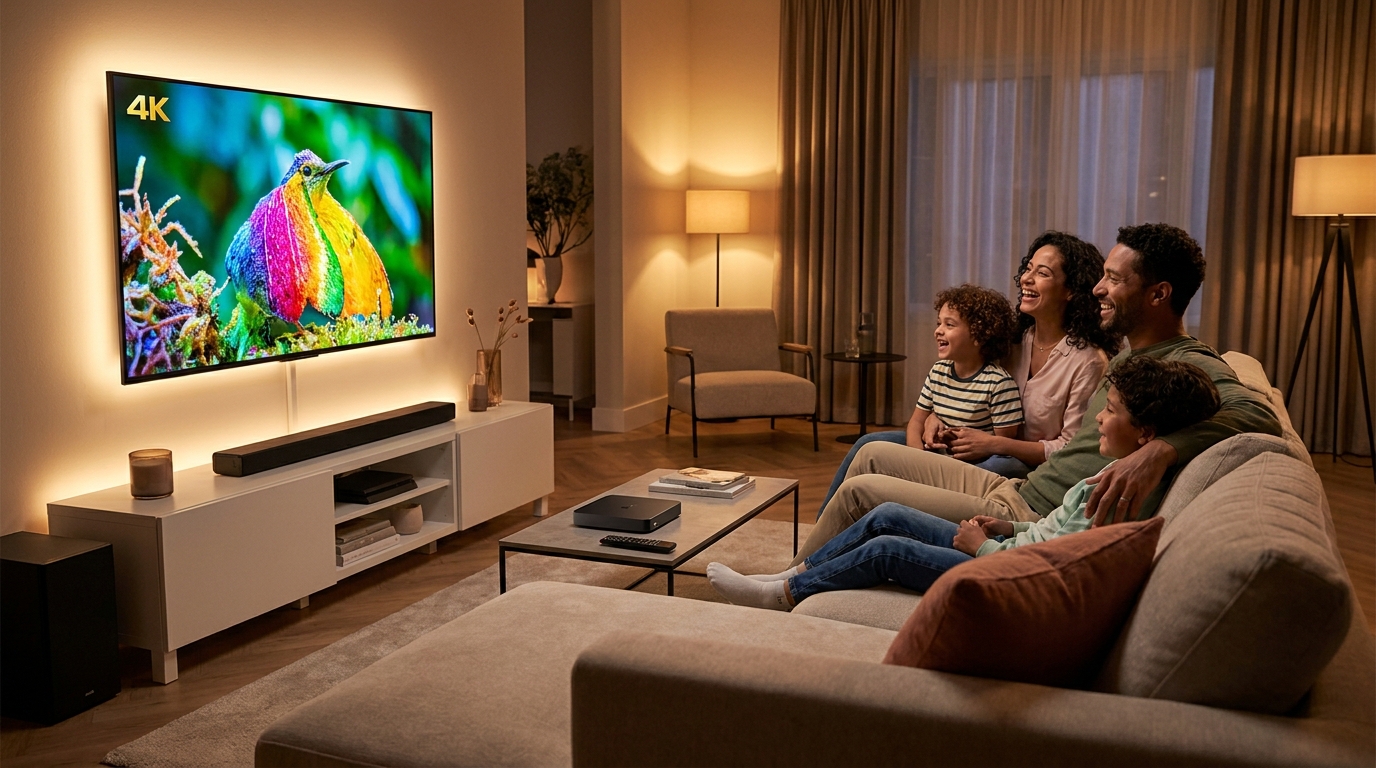
Setting Up Your Device for a Flawless Talktomytv Experience
Once you’ve chosen your device, setting it up correctly is key to unlocking its full potential. The process is generally straightforward. You’ll connect the device to your TV via HDMI, plug in the power, and connect it to the internet. We strongly recommend using an Ethernet cable for the most stable connection. After the initial device setup, you’ll need to install an IPTV player application. There are many excellent options available on the Google Play Store and Amazon Appstore. Once the player is installed, you will enter the credentials provided by your Talktomytv subscription to load your channels and VOD content. For detailed, step-by-step instructions for various devices and apps, please visit our comprehensive page..
Comparison: Dedicated IPTV Device vs. Smart TV Apps
Many modern smart TVs come with their own app stores. You might be wondering if you even need a separate device. While smart TV apps can be convenient, they rarely match the performance and flexibility of a dedicated streaming device. Here’s a quick comparison:
| Feature | Dedicated High-Performance Device | Built-in Smart TV App |
|---|---|---|
| Performance | Powerful processors and ample RAM ensure smooth 4K streaming and fast navigation. | Often underpowered, leading to slow menus, app crashes, and potential buffering. |
| App Selection | Access to vast app stores (Google Play, Amazon Appstore) with a wide choice of IPTV players. | Limited app selection, with many top-tier IPTV players unavailable. |
| Updates | Receives regular OS and security updates from the manufacturer (e.g., Google, Amazon, Apple). | TV manufacturer updates are infrequent and often stop after a few years. |
| Customisation | High degree of customisation, allowing you to tailor the experience to your liking. | Very limited options, locked-down interface. |
| Longevity | A powerful device will remain fast and capable for many years. | Can feel slow and outdated within 1-2 years as app demands increase. |
| Best For | Users who want the best possible quality, stability, and experience from their Talktomytv service. | Very casual users with basic needs who are willing to accept performance compromises. |
Why Talktomytv is the Ultimate IPTV Service for Your Device
Choosing the right hardware is only half the equation. To get the most out of your new streaming device, you need a service that delivers unparalleled content and quality. That’s where Talktomytv comes in. We provide the premium content that your high-performance device deserves.
With Talktomytv, you gain access to:
- Unrivalled Sports Coverage: Watch every major event from the Premier League, NFL, NBA, UFC, F1, and the Champions League, all in stunning HD and 4K.
- Premium Channel Line-up: Enjoy content from HBO, Sky Sports, BeIN, Disney+, and hundreds of other world-class channels.
- Complete VOD Catalogs: Our service includes the full libraries of Netflix, Prime Video, and Disney+, updated weekly with new movies and shows.
- Global Entertainment: Access live TV from over 50 countries, including the UK, USA, Canada, and more.
Our streams are optimised for quality and stability, ensuring that when you pair our service with a capable streaming device, you get the buffer-free, crystal-clear picture you expect. Explore our plans to see whichh package is right for you.
Conclusion: Your Gateway to Limitless Entertainment
The journey to find which is best streaming device for tv for iptv concludes with understanding that the ‘best’ choice is the one that aligns with your budget, technical comfort level, and performance expectations. Whether you opt for a versatile Android box, a user-friendly Fire TV Stick, or a premium powerhouse like an NVIDIA SHIELD, investing in a quality device is the most important step you can take to guarantee a phenomenal viewing experience. A capable device eliminates buffering, unlocks true 4K quality, and provides a smooth, responsive interface for navigating the thousands of options at your fingertips.
Now that you’re equipped with the knowledge to choose the right hardware, the final step is to pair it with the UK’s leading IPTV service. Don’t let a subpar service hold back your new device. Sign up for Talktomytv today and unlock a world of limitless entertainment, from live sports and premium channels to a complete VOD library. Experience the difference that quality hardware and a premium service can make. Get started with our and elevate your homee entertainment to the next level!
References
Choose Your Talktomytv Plan
All plans include instant activation, 24/7 support, and a money-back guarantee.
Frequently Asked Questions
What features should I look for when choosing the best streaming device for TV for IPTV?
Look for a device with a modern quad-core processor, at least 4GB of RAM, 16GB+ of storage, a Gigabit Ethernet port, and support for 4K video decoding (H.265/HEVC). A well-supported operating system like Android TV or Fire OS is also crucial for app compatibility and a great user experience with services like Talktomytv.
Can I use any streaming device with Talktomytv?
Talktomytv is compatible with a wide range of devices, including Android TV boxes, Amazon Fire TV Sticks, Apple TV, and more. For the best experience, we recommend a modern, powerful device that can handle high-quality 4K streams without buffering. Check our [LINK:tutorials] page for setup guides on various devices.
Which is best streaming device for TV for IPTV if I want 4K streaming?
For the best 4K streaming experience, you should choose a device with strong processing power and excellent connectivity. High-end options like the NVIDIA SHIELD TV Pro, the latest Apple TV 4K, or the Amazon Fire TV Stick 4K Max are all excellent choices that can handle the demands of 4K IPTV streams from Talktomytv flawlessly.
Do I need a VPN for my IPTV streaming device?
While not strictly necessary for our service to function, using a VPN is highly recommended for privacy and security. A VPN can also help bypass potential ISP throttling, which can sometimes interfere with streaming quality. Many VPN providers have dedicated apps available on popular streaming devices.
How do I set up Talktomytv on my new streaming device?
Setup is simple. First, set up your device and connect it to the internet. Next, install a compatible IPTV player app from your device’s app store. Finally, open the app and enter the subscription details we provide you after you sign up for a Talktomytv plan. You’ll have access to all your content in minutes.