What is IPTV and Why Use It with Kodi?
Before we dive into the setup, it’s crucial to understand the two technologies at play and why they form such a powerful duo for home entertainment.
The Power of Kodi
Kodi is a free, open-source media player software application developed by the Kodi Foundation. Think of it as a highly customisable hub for all your digital media. On its own, Kodi can play local files—videos, music, podcasts, and images. However, its true strength lies in its extensibility through a vast library of third-party add-ons. These add-ons can stream media from the internet, transforming your device into a gateway to nearly limitless content. It’s available on almost any platform, including Windows, macOS, Android, iOS, Linux, and Raspberry Pi.
The Magic of IPTV
IPTV, or Internet Protocol Television, is a method of delivering television content over internet protocol networks. Instead of receiving signals via traditional terrestrial, satellite, or cable formats, IPTV streams media directly through your internet connection. This allows for a more flexible and feature-rich viewing experience, including video on demand (VOD), live television, and catch-up TV services. A premium service like Talktomytv provides a curated, high-quality stream of thousands of channels from around the world.
The Perfect Combination: IPTV and Kodi
When you combine IPTV with Kodi, you unlock the ultimate media centre. By using a specific type of Kodi add-on known as a PVR (Personal Video Recorder) client, you can integrate a premium IPTV service directly into the Kodi interface. This creates a seamless, user-friendly experience where you can browse a professional Electronic Program Guide (EPG), watch live channels, and access a VOD library of movies and shows—all from one application. It’s the definitive way to build the best IPTV Kodi system, centralising your entertainment without juggling multiple apps or subscriptions.
🎬 Ready to Stream with Talktomytv?
Premium IPTV with 24,000+ channels, 100,000+ movies, 4K quality. Instant activation.
Finding the Best IPTV Kodi Solution: What to Look For
Not all IPTV services are created equal. When searching for a provider to pair with Kodi, several key factors separate a frustrating, buffer-filled experience from a smooth, high-definition one. Here’s what a top-tier service like Talktomytv offers:
Channel Variety and Quality (4K/FHD)
The primary reason for getting IPTV is the content. A superior service should offer a vast selection of channels from the UK, USA, Canada, and other countries. Crucially, this isn’t just about quantity. Look for consistent Full HD (1080p) and 4K streams for premium channels, especially for live sports like the Premier League and F1, where every detail matters. Talktomytv guarantees high-definition streams for all major sports, movie, and entertainment channels.
Reliability and Uptime
There is nothing worse than your stream cutting out during a crucial moment of a match or the season finale of your favourite show. The best IPTV providers invest heavily in robust server infrastructure to ensure high uptime (ideally 99.9%) and anti-freezing technology. This ensures a stable connection with minimal buffering, providing a viewing experience comparable to traditional cable or satellite.
Device Compatibility and Easy Setup
While this guide focuses on Kodi, your IPTV subscription should be versatile. A great provider offers support for a wide range of devices, including Smart TVs, Amazon Firestick, Android boxes, and smartphones. Furthermore, they should provide clear instructions and M3U links or Xtream Codes APIs that make configuration, especially within Kodi’s PVR clients, straightforward. Our page offers guides forr every major device.
Responsive Customer Support
When you encounter a technical issue, you need prompt and helpful support. Avoid services that only communicate through obscure messaging apps. A professional service like Talktomytv provides dedicated customer support to help with setup, troubleshooting, and any account queries you may have, ensuring you get the most out of your subscription.
How to Set Up Talktomytv IPTV on Kodi (Step-by-Step Guide)
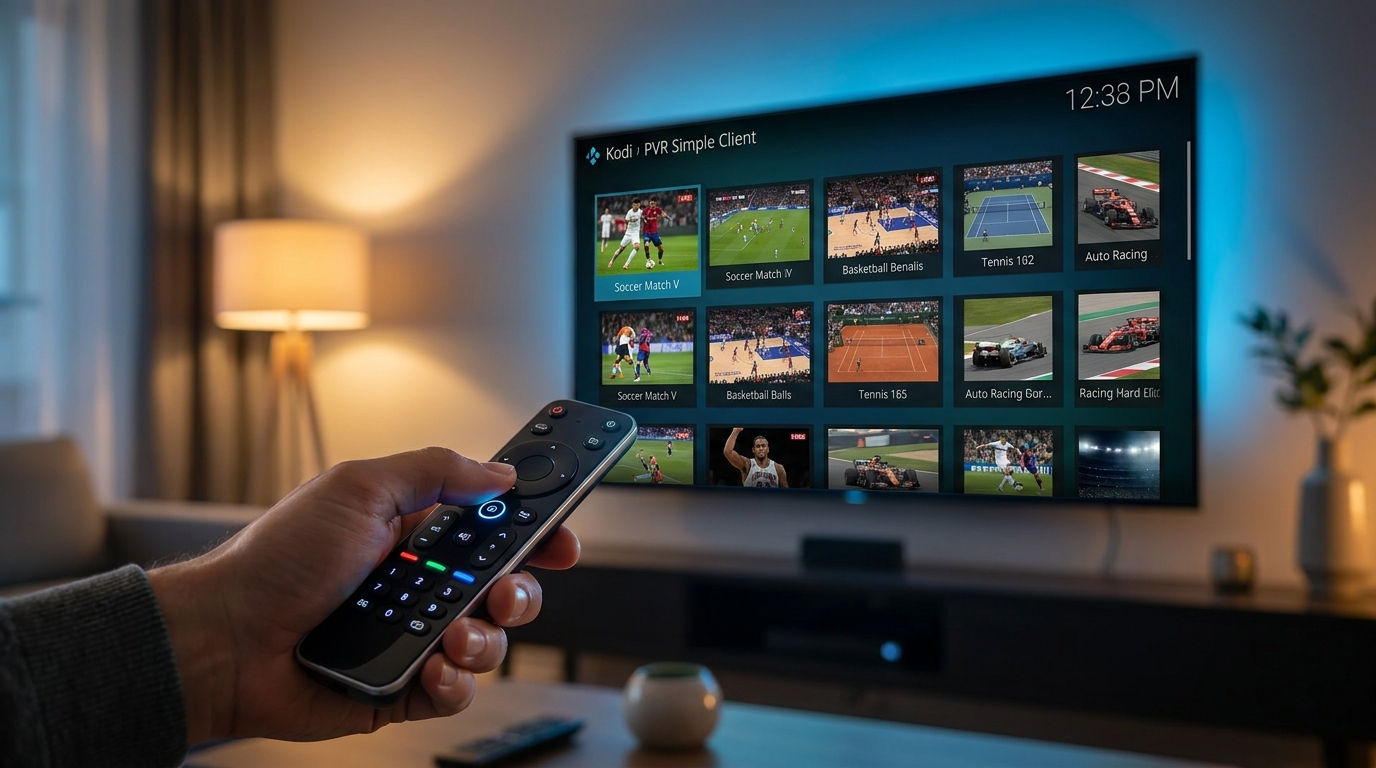
Integrating our premium service into Kodi is a straightforward process. By following these steps, you’ll have a fully functional live TV setup within minutes, creating the best IPTV Kodi entertainment system. This guide uses the most common and reliable method: the PVR IPTV Simple Client add-on.
🎁 Try Before You Buy — 24-Hour Free Trial
Test the full service with all 24,000+ channels. No commitment required.
Prerequisite: Your Talktomytv Subscription
Before you begin, you need an active Talktomytv subscription. Once you sign up for a , you will receive a welcome email containing your unique M3U playlist URL and EPG URL. These links are the keys that tell Kodi where to find your channels and program guide. Keep this email handy.
Step 1: Install the PVR IPTV Simple Client Add-on
This add-on is typically included in the official Kodi repository, so it’s safe and easy to install.
- From the Kodi home screen, navigate to Add-ons.
- Select the box icon (or ‘Add-on browser’) in the top-left corner.
- Choose Install from repository.
- Select the Kodi Add-on repository.
- Go to PVR Clients.
- Scroll down and find PVR IPTV Simple Client. Select it.
- On the add-on screen, click the Install button. Wait for the installation to complete.
Step 2: Configure the Add-on with Your M3U and EPG URLs
Now you need to tell the add-on where to get its data from. This is where your welcome email from Talktomytv comes in.
- After installation, select PVR IPTV Simple Client again and click Configure.
- Under the General tab, set the Location to ‘Remote Path (Internet address)’.
- Click on M3U Play List URL and carefully enter the M3U URL from your Talktomytv email. Click OK.
- Next, switch to the EPG Settings tab.
- Click on XMLTV URL and enter the EPG URL from your Talktomytv email. Click OK.
- Click OK again to save the settings. You may be prompted to restart Kodi for the changes to take effect.
Step 3: Load Your Channels and Enjoy
Once Kodi restarts (or after you’ve saved the settings), the add-on will begin loading the channels and program guide for the first time. This may take a minute or two. You’ll see a notification indicating the number of channels loaded. After it’s done, a ‘TV’ or ‘Radio’ option will appear on your main Kodi menu. Click on it to access the full channel list and EPG, and start enjoying the ultimate live TV experience.
Why Talktomytv is the Ultimate Choice for the Best IPTV Kodi Experience
While many services claim to work with Kodi, Talktomytv is engineered to provide a seamless, premium, and reliable experience. We don’t just offer a playlist; we offer a complete entertainment solution that stands far above generic or free alternatives. Here’s a clear breakdown of the value we provide.
Unmatched Content Library
Our service includes over 20,000 live channels from more than 50 countries, including all the premium UK, US, and Canadian networks you want. This includes live sports (Premier League, F1, UFC PPVs), premium movie channels (HBO, Sky Cinema), and complete VOD catalogues from Netflix, Prime Video, and Disney+. This comprehensive library makes Talktomytv the only subscription you need.
Flawless Streaming in 4K & FHD
We’ve invested in a state-of-the-art server network across the globe to deliver buffer-free streams in the highest possible quality. Every premium channel is available in stunning 4K or Full HD, ensuring an immersive viewing experience, which is essential for making the most of your best IPTV Kodi setup.
Catch-Up TV & VOD Included
Missed an episode of your favourite show? With our 7-day catch-up feature, you can go back and watch anything you missed on most major channels. Additionally, our extensive Video on Demand (VOD) library is updated weekly with new movies and series, all included at no extra cost.
Comparison: Talktomytv vs. Generic Services
To truly understand the difference, see how we stack up against the typical free or low-quality IPTV providers often found online.
| Feature | Talktomytv | Generic/Free IPTV Services |
|---|---|---|
| Channel Quality | Consistent 4K & FHD Streams | Mostly SD, unreliable HD |
| Server Reliability | 99.9% Uptime with Anti-Freeze Tech | Constant buffering and channel outages |
| Content Library | 20,000+ Live Channels, Full VOD Catalogs | Limited, broken, or outdated channel lists |
| Catch-Up TV | Yes, 7-day catch-up on major channels | Rarely available or non-functional |
| Customer Support | Dedicated 24/7 Support Team | Non-existent or unresponsive |
| EPG (Program Guide) | Accurate and professionally maintained | Often missing, inaccurate, or incomplete |
Exploring Other Kodi Add-ons for an Enhanced IPTV Experience
While PVR IPTV Simple Client is our top recommendation for its simplicity and reliability, the Kodi ecosystem is vast. Advanced users might want to explore other add-ons that offer different features or layouts for their IPTV on Kodi setup.
Perfect Player Kodi Add-on
Perfect Player is a popular standalone IPTV app on Android, and its Kodi add-on counterpart provides a similar interface. Some users prefer its aesthetic and navigation over the native Kodi PVR interface. It requires a bit more setup but can be a powerful alternative if you’re already familiar with the Perfect Player app.
Other PVR Clients to Consider
The Kodi repository contains several other PVR clients, such as PVR HDHomeRun Client or TVHeadEnd HTSP Client. These are generally for more specific use cases (like connecting to a physical tuner) and are not typically used for M3U-based services like Talktomytv. For 99% of users, PVR IPTV Simple Client is the most direct and effective tool for the job.
Troubleshooting Common Kodi IPTV Issues
Even with the best IPTV Kodi service, you might occasionally encounter a hiccup. Here are solutions to some of the most common issues users face.
Channels Not Loading or Buffering
If your channels won’t load or buffer frequently, the issue is often local. First, check your internet speed to ensure it’s stable. Second, consider using a VPN. Sometimes, Internet Service Providers (ISPs) in the UK throttle or block IPTV traffic, and a VPN can bypass these restrictions. Finally, try clearing the cache within Kodi’s settings, as old data can sometimes cause conflicts. You can do this by going to the PVR IPTV Simple Client configuration, selecting ‘Clear Data’ under the General tab and restarting Kodi.
EPG (Electronic Program Guide) Not Working
If your EPG is blank, double-check that you have entered the correct XMLTV URL from your Talktomytv email into the EPG Settings of the add-on. A single typo can prevent it from loading. If the URL is correct, try clearing the EPG data. Go to Kodi’s main settings -> PVR & Live TV -> Guide -> Clear data, and then restart Kodi to force a fresh download.
“Check Log for More Information” Error
This is a generic Kodi error. It often appears if the M3U URL is incorrect or if the add-on is configured improperly. The first step is always to re-verify your M3U URL. If the problem persists, a clean install of the add-on can resolve it. Uninstall PVR IPTV Simple Client, restart Kodi, and then reinstall and configure it from scratch. For more complex issues, our support team is always available to help.

In conclusion, harnessing the power of Kodi with a premium IPTV service is the definitive way to revolutionise your home entertainment. It provides a centralised, user-friendly, and infinitely customisable platform for all your viewing needs. By choosing a reliable, high-quality provider, you ensure a smooth, buffer-free experience with access to an incredible breadth of content. For the absolute best IPTV Kodi experience in the UK, look no further than Talktomytv. Our robust infrastructure, vast content library, and dedicated support are designed to deliver unparalleled performance. Start your free trial today and see the difference for yourself!
References
Choose Your Talktomytv Plan
All plans include instant activation, 24/7 support, and a money-back guarantee.
Frequently Asked Questions
What is the best IPTV for Kodi in the UK?
The best IPTV for Kodi is one that provides high-quality, reliable streams, a vast channel list, and excellent customer support. Talktomytv is designed to be the top choice for UK users, offering 4K/FHD channels, 99.9% uptime, and a massive library of UK, US, and international content, making it a perfect fit for a seamless Kodi integration.
Is it legal to use IPTV on Kodi?
Using Kodi to watch IPTV is legal. However, the legality depends on the source of the IPTV service. Subscribing to a legitimate, premium provider like Talktomytv, which pays for content licenses, ensures you are accessing content legally. It is the user’s responsibility to ensure they are not accessing copyrighted material without permission.
How do I get an M3U playlist for Kodi?
You receive an M3U playlist URL when you subscribe to an IPTV service. With Talktomytv, upon signing up for any of our plans, you will receive a welcome email containing your unique M3U URL and EPG URL, which you can then easily enter into Kodi’s PVR IPTV Simple Client.
Can I watch live sports using the best IPTV Kodi setup?
Absolutely. A premium IPTV Kodi setup is one of the best ways to watch live sports. Talktomytv provides comprehensive coverage of events like the Premier League, Champions League, F1, UFC, NFL, and NBA, all in high-definition. Integrating our service with Kodi gives you a dedicated sports hub.
Does Talktomytv work on multiple devices besides Kodi?
Yes, while Kodi is a fantastic platform, your Talktomytv subscription is versatile. It works on a wide range of devices, including Amazon Firestick, Android TV boxes, Smart TVs (Samsung, LG), smartphones (iOS & Android), and Mag boxes. You can find setup guides for all supported devices on our [LINK:tutorials] page.
Why is my IPTV buffering on Kodi?
Buffering can be caused by several factors. Common reasons include slow internet speed, ISP throttling of IPTV traffic, or a Wi-Fi signal that isn’t strong enough. We recommend using a wired Ethernet connection for the best performance and considering a VPN to prevent your ISP from slowing down your connection. With Talktomytv’s powerful servers, buffering is rarely an issue on our end.
{“@context”:”https://schema.org”,”@type”:”FAQPage”,”mainEntity”:[{“@type”:”Question”,”name”:”What is the best IPTV for Kodi in the UK?”,”acceptedAnswer”:{“@type”:”Answer”,”text”:”The best IPTV for Kodi is one that provides high-quality, reliable streams, a vast channel list, and excellent customer support. Talktomytv is designed to be the top choice for UK users, offering 4K/FHD channels, 99.9% uptime, and a massive library of UK, US, and international content, making it a perfect fit for a seamless Kodi integration.”}},{“@type”:”Question”,”name”:”Is it legal to use IPTV on Kodi?”,”acceptedAnswer”:{“@type”:”Answer”,”text”:”Using Kodi to watch IPTV is legal. However, the legality depends on the source of the IPTV service. Subscribing to a legitimate, premium provider like Talktomytv, which pays for content licenses, ensures you are accessing content legally. It is the user’s responsibility to ensure they are not accessing copyrighted material without permission.”}},{“@type”:”Question”,”name”:”How do I get an M3U playlist for Kodi?”,”acceptedAnswer”:{“@type”:”Answer”,”text”:”You receive an M3U playlist URL when you subscribe to an IPTV service. With Talktomytv, upon signing up for any of our plans, you will receive a welcome email containing your unique M3U URL and EPG URL, which you can then easily enter into Kodi’s PVR IPTV Simple Client.”}},{“@type”:”Question”,”name”:”Can I watch live sports using the best IPTV Kodi setup?”,”acceptedAnswer”:{“@type”:”Answer”,”text”:”Absolutely. A premium IPTV Kodi setup is one of the best ways to watch live sports. Talktomytv provides comprehensive coverage of events like the Premier League, Champions League, F1, UFC, NFL, and NBA, all in high-definition. Integrating our service with Kodi gives you a dedicated sports hub.”}},{“@type”:”Question”,”name”:”Does Talktomytv work on multiple devices besides Kodi?”,”acceptedAnswer”:{“@type”:”Answer”,”text”:”Yes, while Kodi is a fantastic platform, your Talktomytv subscription is versatile. It works on a wide range of devices, including Amazon Firestick, Android TV boxes, Smart TVs (Samsung, LG), smartphones (iOS & Android), and Mag boxes. You can find setup guides for all supported devices on our [LINK:tutorials] page.”}},{“@type”:”Question”,”name”:”Why is my IPTV buffering on Kodi?”,”acceptedAnswer”:{“@type”:”Answer”,”text”:”Buffering can be caused by several factors. Common reasons include slow internet speed, ISP throttling of IPTV traffic, or a Wi-Fi signal that isn’t strong enough. We recommend using a wired Ethernet connection for the best performance and considering a VPN to prevent your ISP from slowing down your connection. With Talktomytv’s powerful servers, buffering is rarely an issue on our end.”}}]}