The Ultimate Guide to the Best IPTV Player for Firestick (2024)
Finding the best IPTV player for Firestick is the crucial first step to unlocking a universe of entertainment. Your Amazon Firestick is a powerful device, but to truly harness its potential for streaming live TV, sports, movies, and international channels, you need the right application. This guide will walk you through the top players available in the UK, explaining how they work and how to pair them with a premium service like Talktomytv for an unparalleled viewing experience. In the world of IPTV, the player is the vehicle, but the service is the engine that drives it. With Talktomytv, you get a high-performance engine, delivering thousands of channels, movies, and series directly to your screen.
The Amazon Appstore has limitations, and often the most powerful and versatile IPTV players aren’t listed. This means you’ll need to ‘sideload’ them, a simple process we’ll cover in detail. Whether you’re a tech enthusiast or a complete beginner, this comprehensive review will help you choose the perfect player to complement your Talktomytv subscription and transform your Firestick into the ultimate entertainment hub.
Why Your Firestick Needs a Premium IPTV Player
While the Amazon Firestick is an excellent piece of hardware, its default software is designed primarily for mainstream apps like Netflix, BBC iPlayer, and Prime Video. To access the vast world of IPTV, you need a dedicated application capable of interpreting and organising the channel playlists and video-on-demand (VOD) libraries provided by services like Talktomytv. A generic videoo player simply won’t do.
Limitations of Standard Apps
Standard media players lack the essential features required for a smooth IPTV experience. They cannot parse M3U playlists or connect via Xtream Codes API, which are the standard delivery methods for IPTV services. Furthermore, they lack critical functionalities that users expect, such as:
- Electronic Program Guide (EPG): A TV guide that shows you what’s currently playing and what’s coming up next on each channel.
- Catch-Up TV: The ability to watch shows that have aired in the past few days, a feature included with Talktomytv subscriptions.
- VOD Library Organisation: A dedicated interface for browsing and searching thousands of movies and TV series, complete with posters and descriptions.
- Multi-Screen Functionality: The option to watch multiple channels at once, perfect for sports fans.
The Power of a Dedicated Player
A dedicated IPTV player acts as a sophisticated dashboard for your subscription. It takes the raw data (channels, guides, VOD content) from your provider and presents it in a beautiful, intuitive, and user-friendly interface. It’s the bridge between your Talktomytv subscription and your television, ensuring seamless playback, easy navigation, and access to all the premium features you’re paying for. Choosing the best IPTV player for Firestick ensures you’re not leaving any performance or features on the table.
🎬 Ready to Stream with Talktomytv?
Premium IPTV with 24,000+ channels, 100,000+ movies, 4K quality. Instant activation.
What to Look For in the Best IPTV Player for Firestick
Not all IPTV players are created equal. When selecting an application for your Firestick, it’s essential to consider a range of features that will ensure a stable, enjoyable, and feature-rich viewing experience. These criteria are precisely what we at Talktomytv recommend our users look for, as our service is built to support them all.
Key Features Checklist
- User Interface (UI) and Experience (UX): The player should be easy to navigate with the Firestick remote. Look for a clean layout, logical menus, and customisation options.
- EPG Support: A clear, fast-loading Electronic Program Guide is non-negotiable. The best players offer multiple EPG layouts (e.g., grid view, list view).
- Playlist and API Support: The player must support both M3U playlists and Xtream Codes API logins. API is generally preferred for a more integrated experience with services like Talktomytv, as it automatically pulls in all necessary data.
- VOD and Series Interface: A great player will present your movie and TV show library in a Netflix-style format, with cover art, ratings, and plot summaries.
- Catch-Up TV Functionality: Ensure the player has a clear and simple way to access and play previously aired content. Talktomytv offers a 7-day catch-up on most UK and major international channels.
- Playback and Codec Support: The player should support a wide variety of video formats and codecs to ensure smooth playback of 4K and FHD streams without buffering.
- Stability and Performance: The app should be lightweight and run smoothly on the Firestick’s hardware without crashing or freezing.
- Advanced Features: Look for extras like multi-screen support, parental controls, external player integration, and recording capabilities.
Comparison of Key Player Attributes
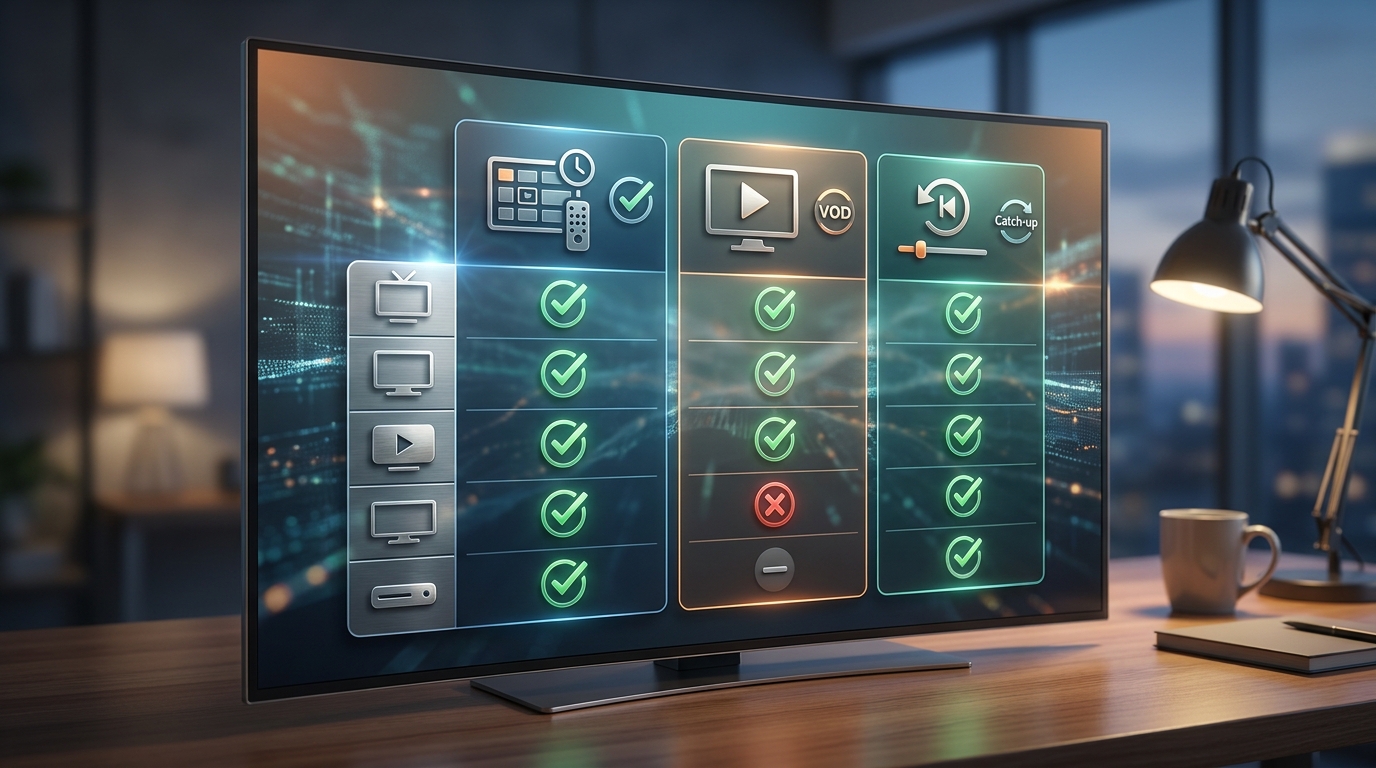
To help you decide, here’s a table comparing essential attributes you should consider. When paired with a robust service like Talktomytv, a player with these features will deliver an exceptional experience.
| Feature | Why It Matters | Talktomytv Compatibility |
|---|---|---|
| Xtream Codes API | Simplifies login to just a username, password, and server URL. Automatically syncs EPG and VOD. | ✅ Fully Supported |
| M3U Playlist | A universal standard, but may require a separate EPG URL. | ✅ Fully Supported |
| 4K & FHD Streaming | Ensures you can watch content in the highest possible quality. | ✅ All Premium Channels |
| Catch-Up TV | Never miss a show again. Watch content from the last 7 days. | ✅ Supported & Included |
| Modern EPG | A fast, easy-to-read TV guide is essential for channel surfing. | ✅ Provided for All Channels |
Top 10 IPTV Players for Firestick Reviewed (2024)
Here is our curated list of the top IPTV players available for the Amazon Firestick. We have tested these applications extensively with the Talktomytv service to ensure compatibility and performance. While we don’t develop these apps, we can confidently recommend them as excellent gateways to our content.
🎁 Try Before You Buy — 24-Hour Free Trial
Test the full service with all 24,000+ channels. No commitment required.
1. TiviMate IPTV Player
Often considered the gold standard, TiviMate offers a sleek, modern interface that closely mimics the experience of premium cable TV. It’s highly customisable and incredibly fast. The premium version is required to unlock its full potential, including support for multiple playlists and scheduled recordings.
- Pros: Beautiful UI, fast EPG, highly customisable, multi-view feature.
- Cons: Core features require a premium subscription (paid separately to the app developer).
- Best for: Users who want the most professional, cable-like experience.
2. IPTV Smarters Pro
IPTV Smarters Pro is one of the most popular and reliable players. Its interface is clean and straightforward, making it a great choice for beginners. It supports both M3U and Xtream Codes API and offers a fantastic built-in VOD section that organises content beautifully.
- Pros: Free, user-friendly, excellent VOD interface, built-in speed test.
- Cons: The interface isn’t as customisable as some others.
- Best for: Beginners and users who want a simple, effective, and free solution.
3. Perfect Player
Perfect Player is another powerful option known for its semi-transparent OSD and visually appealing EPG. It’s highly configurable, which can be a double-edged sword: it offers great flexibility for advanced users but might be overwhelming for newcomers.
- Pros: Highly customisable, attractive interface, supports multiple playlist formats.
- Cons: Steeper learning curve compared to IPTV Smarters.
- Best for: Tech-savvy users who enjoy tweaking settings for the perfect setup.
4. GSE Smart IPTV
GSE Smart IPTV is a versatile player that has been popular for years. It supports a wide range of formats and has a solid, if slightly dated, interface. A key feature is its ability to play live streams from a variety of sources, not just IPTV subscriptions.
- Pros: Supports numerous formats, built-in parental controls, available on multiple platforms.
- Cons: The interface can feel a bit cluttered. Contains ads in the free version.
- Best for: Users who need a player that can handle various formats and platforms.
5. XCIPTV Player
XCIPTV is a fast and efficient player with a clean, modern look. It’s known for its excellent VOD navigation and EPG loading speeds. It also includes desirable features like VPN integration and the ability to schedule recordings for future events.
- Pros: Fast performance, great VOD layout, VPN integration, recording features.
- Cons: Less known than some of the bigger names, but a very solid performer.
- Best for: Users who prioritise speed and a modern VOD experience.
6. Kodi
Kodi is not just an IPTV player; it’s a complete open-source media centre. With the right add-on (like the PVR IPTV Simple Client), it can be a powerful way to watch your Talktomytv subscription. It’s endlessly customisable with skins and builds.
- Pros: Infinitely customisable, can manage all your media in one place, huge community support.
- Cons: Complex setup process, can be resource-intensive for older Firesticks.
- Best for: Hobbyists and advanced users who want to build a fully customised media centre.
7. Flix IPTV
Flix IPTV offers a very clean and premium-looking interface. It provides a stable streaming experience with a well-organised EPG and VOD section. It’s a paid app that requires a one-time activation fee per device after a 7-day trial.
- Pros: Professional and modern UI, stable performance, multi-language support.
- Cons: Requires a paid activation fee to the app developer.
- Best for: Users who appreciate a premium look and feel and are willing to pay a small fee for it.
8. IPTV Extreme Pro
This player offers a host of features aimed at power users. It has a robust EPG, recording capabilities, and extensive customisation options. The interface is functional, though perhaps not as polished as TiviMate or Flix IPTV.
- Pros: Feature-rich, integrated player, scheduled recording.
- Cons: The interface can feel a bit dated.
- Best for: Users who want advanced features like recording and don’t mind a more functional UI.
9. Smart IPTV
One of the oldest and most reliable players, Smart IPTV (SIPTV) is known for its stability. It uses a MAC address-based activation system. You upload your playlist via their web portal, and it syncs to your TV. It requires a one-time activation fee.
- Pros: Very stable and reliable, simple TV-focused interface.
- Cons: Playlist management is done via a web browser, not in the app itself. Paid activation.
- Best for: Users who prioritise stability and a no-fuss, set-it-and-forget-it experience.
10. Televizo IPTV
A newer player that is gaining popularity for its clean interface and solid performance. Televizo supports both M3U and Xtream Codes and offers features like parental controls and EPG customisation. It has a free version with ads and a premium version to remove them.
- Pros: Clean and simple UI, good performance, parental controls.
- Cons: The free version has advertisements.
- Best for: Users looking for a modern, simple alternative to the more established players.
How to Install an IPTV Player on Your Firestick (Step-by-Step)
Since the best IPTV players are typically not on the Amazon Appstore, you’ll need to ‘sideload’ them. The easiest way to do this is with the ‘Downloader’ app. Don’t worry, it’s a straightforward process.
Step 1: Enable Apps from Unknown Sources
- From the Firestick home screen, navigate to Settings (the gear icon).
- Select My Fire TV.
- Choose Developer Options. (If you don’t see this, go to ‘About’, click on your Fire TV Stick name 7 times until you see a message saying “You are now a developer.”)
- Turn on Apps from Unknown Sources.
Step 2: Install the Downloader App
- Return to the Firestick home screen and go to Find, then Search.
- Type in “Downloader” and select it from the list.
- Download and install the app.
Step 3: Download and Install Your Chosen IPTV Player
- Open the Downloader app.
- In the URL box, you will enter the direct download link for the IPTV player’s APK file. These are easily found with a quick web search (e.g., “IPTV Smarters Pro APK download”). Always use a reputable source for APK files.
- Once the download is complete, the installation screen will pop up automatically. Click Install.
- After installation, you can delete the APK file to save space. Your new IPTV player will be in your ‘Apps & Channels’ section.
For more detailed guides on specific players, please visit our section..
Configuring Your IPTV Player with Talktomytv
Once you’ve chosen and installed the best IPTV player for Firestick, it’s time to connect it to your Talktomytv subscription. This is where the magic happens. After you sign up for one of our , you will receive an email with your login credentials.
Using Xtream Codes API (Recommended)
This is the easiest method. Most players will have a section called ‘Login with Xtream Codes API’ or ‘Add Xtream Connection’.
- Open your chosen IPTV player.
- Select the option to log in with Xtream Codes API.
- You will be prompted to enter four pieces of information:
- Any Name: Call it “Talktomytv”.
- Username: Provided in your welcome email.
- Password: Provided in your welcome email.
- Server URL: Provided in your welcome email.
- Click ‘Add User’ or ‘Login’. The player will automatically download all the channels, VOD content, and EPG data.
Using M3U Playlist URL
If you prefer using an M3U link:
- Open your player and choose ‘Add Playlist’ or ‘Load from URL’.
- Give the playlist a name (e.g., “Talktomytv”).
- Paste the M3U URL provided in your welcome email.
- Some players may ask for a separate EPG URL, which will also be in your email. Paste that into the corresponding field.
- Load the playlist, and you’re ready to start streaming!
The Talktomytv Advantage: More Than Just a Playlist
Choosing a great player is important, but the quality of your streaming experience is 99% dependent on the quality of your IPTV provider. This is where Talktomytv stands out from the crowd. We provide a robust, reliable, and feature-packed service that makes any player shine.
Feature Comparison: Standard IPTV vs. Talktomytv
| Feature | Typical IPTV Service | Talktomytv Premium Service |
|---|---|---|
| Live Sports | Limited selection, often in SD | Full coverage: Premier League, NFL, NBA, UFC, F1 in stunning 4K & FHD. |
| Premium Channels | Basic UK/US channels | Global Access: Sky Sports, HBO, ESPN, BeIN, and channels from 50+ countries. |
| VOD Library | A few hundred old movies | Massive Library: Full Netflix, Prime Video & Disney+ catalogues included. Updated weekly. |
| Catch-Up TV | Not available or unreliable | 7-Day Catch-Up on most major channels. Never miss your favourite show. |
| PPV Events | Extra cost per event | Included 24/7 at no extra cost. All major boxing, UFC, and wrestling events. |
| Support | Email only, slow response | 24/7 Customer Support via live chat and email. See our for more.. |
As you can see, while a good player provides the interface, the content, reliability, and features come from your provider. Talktomytv is committed to offering the most comprehensive and high-quality IPTV service in the UK.
Conclusion: Your Perfect Streaming Setup Awaits
In conclusion, selecting the best IPTV player for Firestick is about finding the application that best suits your technical comfort level and viewing habits. Whether you choose the feature-rich customisation of TiviMate or the user-friendly simplicity of IPTV Smarters Pro, you are equipping your Firestick with a powerful tool. However, that tool is only as good as the service it’s connected to. An elite player with a poor-quality, buffering IPTV service will only lead to frustration. By pairing a top-tier player with the robust, feature-packed, and reliable streams from Talktomytv, you create the ultimate home entertainment system. You gain access to global sports, premium channels, and a VOD library that is second to none. Don’t settle for less. Elevate your viewing experience today. Start your free trial or choose one of our premium plans and see the Talktomytv difference for yourself.
References
Choose Your Talktomytv Plan
All plans include instant activation, 24/7 support, and a money-back guarantee.
Frequently Asked Questions
What is the absolute best IPTV player for Firestick?
While players like TiviMate are highly regarded for their professional interface and customisation, and IPTV Smarters Pro is excellent for its user-friendliness, the ‘best’ player often comes down to personal preference. The most critical factor is the IPTV service itself. A great player cannot fix a poor service. We recommend trying a few and seeing which you prefer, as they all work seamlessly with a premium subscription like Talktomytv.
Are IPTV players legal to use on a Firestick in the UK?
Yes, the IPTV player applications themselves are perfectly legal. They are media players, just like VLC or Perfect Player. Legality concerns the source of the content. Using a player to stream content from a provider that has the proper licenses to distribute that content is legal. Talktomytv is committed to providing a reliable and high-quality service for our customers.
How do I install the best IPTV player for Firestick if it's not in the Amazon Appstore?
You can easily install IPTV players using a method called ‘sideloading’. This involves using the ‘Downloader’ app, which is available for free in the Amazon Appstore. Our guide above provides a full step-by-step walkthrough, and we also have detailed guides in our [LINK:tutorials] section.
Can I use a free IPTV player with my Talktomytv subscription?
Absolutely. Many of the best players, such as IPTV Smarters Pro and XCIPTV, are free to use and work perfectly with Talktomytv. Some other players may offer a free version with ads or a premium version with more features, which is a separate purchase from the app developer and not related to your IPTV subscription.
Which IPTV player is best for watching live sports on Firestick?
For live sports, you want a player with fast channel switching and a multi-screen feature. TiviMate is excellent for this, allowing you to watch several games at once. However, the most crucial element for sports is a provider like Talktomytv that offers stable, high-quality streams in 4K and FHD for all major events like the Premier League, F1, and UFC, ensuring you don’t miss a second of the action due to buffering.
Do I need to use a VPN with my IPTV player on Firestick?
While not strictly mandatory, using a VPN is highly recommended. A VPN can help prevent your Internet Service Provider (ISP) from throttling your connection speed when they detect high-bandwidth streaming. It also enhances your online privacy and security. Many players, like XCIPTV, have built-in VPN support.
{“@context”:”https://schema.org”,”@type”:”FAQPage”,”mainEntity”:[{“@type”:”Question”,”name”:”What is the absolute best IPTV player for Firestick?”,”acceptedAnswer”:{“@type”:”Answer”,”text”:”While players like TiviMate are highly regarded for their professional interface and customisation, and IPTV Smarters Pro is excellent for its user-friendliness, the ‘best’ player often comes down to personal preference. The most critical factor is the IPTV service itself. A great player cannot fix a poor service. We recommend trying a few and seeing which you prefer, as they all work seamlessly with a premium subscription like Talktomytv.”}},{“@type”:”Question”,”name”:”Are IPTV players legal to use on a Firestick in the UK?”,”acceptedAnswer”:{“@type”:”Answer”,”text”:”Yes, the IPTV player applications themselves are perfectly legal. They are media players, just like VLC or Perfect Player. Legality concerns the source of the content. Using a player to stream content from a provider that has the proper licenses to distribute that content is legal. Talktomytv is committed to providing a reliable and high-quality service for our customers.”}},{“@type”:”Question”,”name”:”How do I install the best IPTV player for Firestick if it’s not in the Amazon Appstore?”,”acceptedAnswer”:{“@type”:”Answer”,”text”:”You can easily install IPTV players using a method called ‘sideloading’. This involves using the ‘Downloader’ app, which is available for free in the Amazon Appstore. Our guide above provides a full step-by-step walkthrough, and we also have detailed guides in our [LINK:tutorials] section.”}},{“@type”:”Question”,”name”:”Can I use a free IPTV player with my Talktomytv subscription?”,”acceptedAnswer”:{“@type”:”Answer”,”text”:”Absolutely. Many of the best players, such as IPTV Smarters Pro and XCIPTV, are free to use and work perfectly with Talktomytv. Some other players may offer a free version with ads or a premium version with more features, which is a separate purchase from the app developer and not related to your IPTV subscription.”}},{“@type”:”Question”,”name”:”Which IPTV player is best for watching live sports on Firestick?”,”acceptedAnswer”:{“@type”:”Answer”,”text”:”For live sports, you want a player with fast channel switching and a multi-screen feature. TiviMate is excellent for this, allowing you to watch several games at once. However, the most crucial element for sports is a provider like Talktomytv that offers stable, high-quality streams in 4K and FHD for all major events like the Premier League, F1, and UFC, ensuring you don’t miss a second of the action due to buffering.”}},{“@type”:”Question”,”name”:”Do I need to use a VPN with my IPTV player on Firestick?”,”acceptedAnswer”:{“@type”:”Answer”,”text”:”While not strictly mandatory, using a VPN is highly recommended. A VPN can help prevent your Internet Service Provider (ISP) from throttling your connection speed when they detect high-bandwidth streaming. It also enhances your online privacy and security. Many players, like XCIPTV, have built-in VPN support.”}}]}